Virginia passed a law that limits users under 16 to one hour a day on each social media service. A federal court blocked it in February 2026, and in August an appeals court refused to lift the block. So it isn’t in force. Most teams have put it in the “not our problem” pile.
That is a reasonable call for this week. It is a weak plan for the year. The law’s text is more specific than the coverage, and it shows what a social media time limit for minors needs from your product: an age answer, a device signal, a parent setting, and a counter. This post reads the text, marks where coverage and text differ, and builds a small tested switch you can turn on or off when a court rules.
What we read, and what we could not confirm
We read the codified law, Va. Code § 59.1-577.1 (the rules) and § 59.1-584 (enforcement). We also read a DLA Piper summary of the February ruling, MediaPost’s report on the appeal, an MLex note on the stay decision, and the Wikipedia pages for SB 854 and NetChoice v. Jones.
We did not read the court orders themselves. We could not open one Courthouse News report on the appeal. We found no ruling on the merits of the appeal, but we can’t prove none exists. The two news reports on the appeal give different reasons for the stay denial, and we don’t know which is right. The statute page was last updated in 2026, so it may differ from the original 2025 bill. This is our reading, not legal advice.
Where the coverage and the text differ
| Point | What some coverage says | What the codified text says |
|---|---|---|
| Age checks | Platforms must verify the age of all users (Wikipedia) | A platform must use “commercially reasonable methods, such as a neutral age screen mechanism” to decide whether a user is a minor. |
| The limit | A ban or a cap on teens | A default of one hour a day, per service. A parent can raise or lower it after verifiable parental consent. |
| Who enforces | Not always stated | The Attorney General only. No private lawsuits. |
| Who is covered by the block | “The law is blocked” | As MediaPost reports it, the injunction bars enforcement against NetChoice members, such as Meta, YouTube and Reddit. We haven’t read the order. |
| Exemptions | DLA Piper lists content exemptions (news, sports, entertainment, ecommerce and others) | We found none in the codified text we read. We can’t explain the gap. |
The first row is the one for engineers. A neutral age screen is, in plain terms, asking the user their age or birth year without a hint of the answer you want. That is much lighter than checking an ID. We don’t know how a court or the Attorney General would treat it, and the court that blocked the law said it also worried about checks that get in the way of adults. But the words in the statute are not the words in the headline.
What the statute asks for
- Who is a minor. Anyone younger than 16.
- How you decide. Commercially reasonable methods, such as a neutral age screen.
- Device signals. If a user’s device or browser signals that the user is or should be treated as a minor, you must treat them as one. The text gives a browser plug-in, a privacy setting or a device setting as examples.
- The limit. One hour a day, per service or application, as the default.
- The parent. A parent can give verifiable parental consent to raise or lower the daily limit. The law doesn’t require you to give that parent extra access to the child’s data or account.
- What you do with the age data. Information collected to decide age may only be used to decide age and to provide age-appropriate experiences.
- No punishing the user. You can’t withhold, degrade or raise the price of a service because of the limit. There are carve-outs for features that need a known minor’s personal data.
- Enforcement. The Attorney General gives 30 days’ written notice. A cure within that time, plus a written promise to stop, bars the lawsuit. After that, civil penalties of up to $7,500 per violation. That penalty rule sits in the wider consumer data law, so it covers more than this section.
Where the case stands
| Date | What happened | Source |
|---|---|---|
| 17 Nov 2025 | NetChoice sues the Attorney General in federal court in Eastern Virginia | Wikipedia |
| 1 Jan 2026 | The law’s stated effective date | Va. Code page |
| 27 Feb 2026 | The court grants a preliminary injunction and finds the law fails First Amendment review | DLA Piper, Wikipedia |
| 31 Aug 2026 | The Fourth Circuit denies Virginia’s motion to stay the injunction, 2-1 | MLex |
A stay denial is not a decision on the merits. As far as we could find, the question of whether the law is constitutional is still open on appeal. Treat the status as “blocked, as of the sources above”, and check it before you rely on it.
Why a blocked law still needs a design
Three reasons, and none of them is “the court will be overturned”.
- The block may not cover you. If MediaPost is right that the injunction protects NetChoice members, a platform outside that group needs its own advice. We can’t tell you which side you’re on.
- The pieces are not Virginia-specific. Any rule that treats under-16s differently needs an age answer, a way to take a device signal, a parent setting and a per-user counter. If you build these once, the next state or country is a configuration change. Our post on the US patchwork lists how many such rules exist, and the one on the Eleventh Circuit and per-state switches shows the same pattern.
- Courts change status fast. A block on Monday can be a live law on Friday. A team that has to write the feature after the ruling will not make the date.
The build
The idea is one function. It takes what you know about a user and returns a number of minutes, or no limit, and a reason. The legal status is a setting that a person changes, with a date and a source written next to it. The code never guesses it.
- Age state.
minor,not_minororunknown. A device signal that says minor beats anything the user typed. - Unknown means ask. No age answer yet means the function returns “needs age screen”. It doesn’t guess in either direction.
- Legal status.
enforceable,enjoinedorunknown. There is also a business setting,applyWhileEnjoined, so you can keep the limit on for your own reasons. - Parent override. Applied only after you’ve recorded verifiable parental consent. That part isn’t in this code.
- The record. Two fields: the state and where it came from. No birth date, no image.
We ran the tests with node --test on Node 22: 10 tests, all passing.
export type AgeState = "minor" | "not_minor" | "unknown";
export type LegalStatus = "enforceable" | "enjoined" | "unknown";
export type Reason =
  | "outside_virginia"
  | "not_applied_enjoined"
  | "needs_age_screen"
  | "not_a_minor"
  | "default_limit"
  | "parent_override";

// What the product knows about one user. Nothing here is a birth date or an image.
export interface Signals {
  declaredAge?: number;          // answer to a neutral age screen
  deviceSaysMinor?: boolean;     // browser or device signal (our reading of 59.1-577.1 C)
  parentLimitMinutes?: number;   // set by a parent after verifiable parental consent
}

export interface Config {
  legal: LegalStatus;            // set by a person, with a date and a source, not guessed in code
  applyWhileEnjoined: boolean;   // a business choice: keep the limit on even though a court blocks it
  defaultMinutes: number;        // 60 in the statute
}

export interface Decision {
  minutes: number | null;        // null means no daily limit
  reason: Reason;
}

export function ageState(s: Signals): AgeState {
  if (s.deviceSaysMinor) return "minor";           // a minor signal always wins
  if (s.declaredAge === undefined) return "unknown";
  return s.declaredAge < 16 ? "minor" : "not_minor";
}

export function dailyLimit(s: Signals, inVirginia: boolean, cfg: Config): Decision {
  if (!inVirginia) return { minutes: null, reason: "outside_virginia" };
  const applies = cfg.legal === "enforceable" || cfg.applyWhileEnjoined;
  if (!applies) return { minutes: null, reason: "not_applied_enjoined" };
  const state = ageState(s);
  if (state === "unknown") return { minutes: null, reason: "needs_age_screen" };
  if (state === "not_minor") return { minutes: null, reason: "not_a_minor" };
  if (s.parentLimitMinutes !== undefined) {
    return { minutes: s.parentLimitMinutes, reason: "parent_override" };
  }
  return { minutes: cfg.defaultMinutes, reason: "default_limit" };
}

// The limit is counted per service. Pass the minutes used on this service only.
export function minutesLeft(limit: Decision, usedToday: number): number | null {
  if (limit.minutes === null) return null;
  return Math.max(0, limit.minutes - usedToday);
}

// Age information may only be used to decide age and to give age-appropriate
// experiences, so keep two fields and drop everything else.
export function recordAgeInfo(input: { state: AgeState; source: string; [extra: string]: unknown }) {
  return { state: input.state, source: input.source };
}
import { test } from "node:test";
import assert from "node:assert/strict";
import { ageState, dailyLimit, minutesLeft, recordAgeInfo, type Config } from "./policy.ts";
const enjoined: Config = { legal: "enjoined", applyWhileEnjoined: false, defaultMinutes: 60 };
const live: Config = { ...enjoined, legal: "enforceable" };
test("outside Virginia there is no limit", () => {
assert.deepEqual(dailyLimit({ declaredAge: 13 }, false, live), { minutes: null, reason: "outside_virginia" });
});
test("while the law is enjoined and we do not opt in, nothing is applied", () => {
assert.deepEqual(dailyLimit({ declaredAge: 13 }, true, enjoined), { minutes: null, reason: "not_applied_enjoined" });
});
test("a user who declares 15 gets 60 minutes when the law is enforceable", () => {
assert.deepEqual(dailyLimit({ declaredAge: 15 }, true, live), { minutes: 60, reason: "default_limit" });
});
test("a user who declares 16 gets no limit", () => {
assert.deepEqual(dailyLimit({ declaredAge: 16 }, true, live), { minutes: null, reason: "not_a_minor" });
});
test("a device minor signal beats a declared adult age", () => {
assert.equal(ageState({ declaredAge: 30, deviceSaysMinor: true }), "minor");
assert.equal(dailyLimit({ declaredAge: 30, deviceSaysMinor: true }, true, live).minutes, 60);
});
test("a parent can raise or lower the limit", () => {
assert.equal(dailyLimit({ declaredAge: 14, parentLimitMinutes: 120 }, true, live).minutes, 120);
assert.equal(dailyLimit({ declaredAge: 14, parentLimitMinutes: 30 }, true, live).reason, "parent_override");
});
test("an unknown age asks for the age screen and does not guess", () => {
assert.deepEqual(dailyLimit({}, true, live), { minutes: null, reason: "needs_age_screen" });
});
test("the limit can stay on while enjoined if the business chooses it", () => {
const cfg: Config = { ...enjoined, applyWhileEnjoined: true };
assert.equal(dailyLimit({ declaredAge: 12 }, true, cfg).minutes, 60);
});
test("minutes left never go below zero and ignore users with no limit", () => {
const l = dailyLimit({ declaredAge: 12 }, true, live);
assert.equal(minutesLeft(l, 45), 15);
assert.equal(minutesLeft(l, 90), 0);
assert.equal(minutesLeft({ minutes: null, reason: "not_a_minor" }, 500), null);
});
test("the stored record keeps two fields only", () => {
const r = recordAgeInfo({ state: "minor", source: "age_screen", dob: "2011-02-01", selfie: "base64..." });
assert.deepEqual(Object.keys(r).sort(), ["source", "state"]);
});Four notes on using it.
- Legal status is data, not code. Keep it in a config file or a feature flag service. Write the date you set it and the source (an order, a counsel email). When it changes, the change is a one-line edit with a reviewer.
- Count per service. The statute says “per service or application”. If you run three apps under one login, each has its own hour. Pass
minutesLeftonly the minutes used on that service today, and decide where “today” starts. The text doesn’t say, so that is a question for your counsel. - The limit must not make the service worse. The no-degradation rule means that a user at the limit shouldn’t get a slower product, a worse feed or a higher price. Reaching the limit ends the session. It doesn’t throttle it.
- The parent override is a separate system.
parentLimitMinutesis only set after a parent has given verifiable consent. How you collect that is covered in our parental consent guide. Don’t let a child type a number into that field.
The hard parts
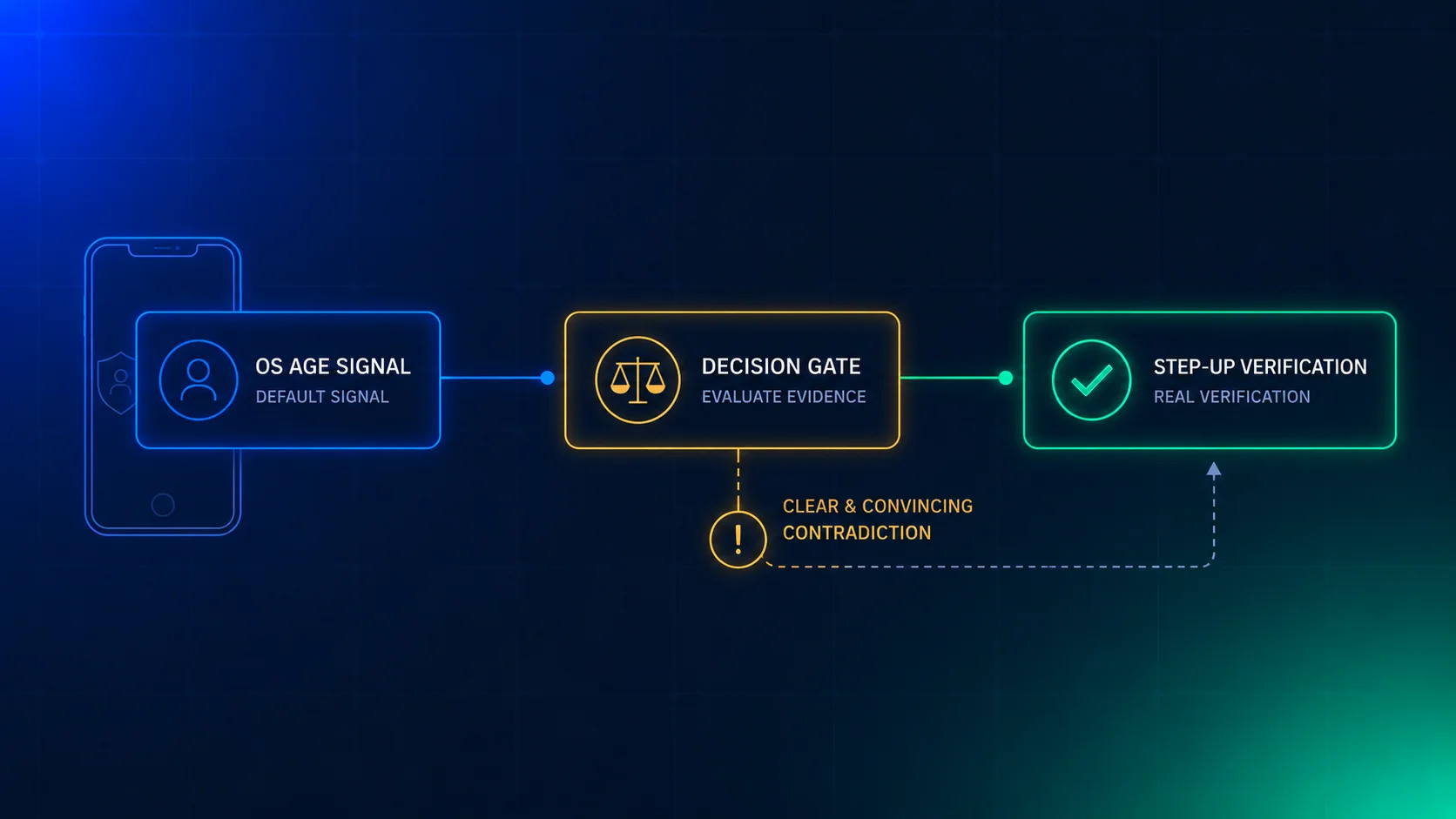
A neutral age screen is easy to lie to. A 13-year-old can type 1999. The statute allows the method, but it doesn’t make the answer true. If your own risk is higher than the statute’s floor, add a second signal: an estimate from a selfie, an operating system age signal, or a document check for users you doubt. Our post on operating system age signals explains why those are an input and not proof.
Location decides whether the rule applies. The function takes inVirginia as a plain yes or no. Where that answer comes from is its own problem: an IP address, a device setting, a billing country. Each one fails in a different way, and a VPN breaks the first. The Utah geolocation post shows how a court looked at “actual location”. We’d treat an unknown location as Virginia while the rule is enforceable, and as not Virginia while it is enjoined. That is a choice, and you should make it on purpose.
Unknown users are the large group. Most of your traffic won’t have answered an age question. The function returns needs_age_screen and no limit. That is right for a signed-in user you’re about to ask. It is not an answer for a logged-out visitor, and the statute doesn’t say what to do with one. We don’t know either.
The age data is for age only. The statute limits what you do with age information. The record has two fields so there is little to misuse. If your analytics team wants to join the state field to ad targeting, the answer is no, and that rule should be in writing before the first request.
The decision only you can make
Should you apply the limit to Virginia teens while the law is blocked? It is a business and legal choice, and the code supports both.
- Apply it now. You get ahead of a ruling and you’ve tested the feature. You also add a limit that no law currently forces, which may cost you engagement and may annoy users. You also may be treated as having taken a position.
- Keep it off, and keep the switch ready. No product cost today. You need the ability to turn it on fast, and you need someone who watches the case. A switch nobody tests is worth little, so run the tests and a staging drill.
We would build the switch either way. Which setting to use is a question for your counsel and your product team.
Checklist for this week
- Ask counsel whether the injunction covers your company, and write down the answer and the date.
- List every service or app under your login. Each needs its own counter.
- Put legal status,
applyWhileEnjoinedand the default minutes in config, with an owner. - Add a place for a device or browser minor signal, and make it beat a typed age.
- Decide what you do for a visitor with no age answer.
- Check that reaching the limit ends the session without making the service worse.
- Write down that age data is used for age and age-appropriate experiences only.
- Run the 10 tests, then flip the status in staging and watch the behaviour change.
- Set a date to re-check the Fourth Circuit docket.
The short version
Virginia’s one-hour limit is blocked, and that could change. The text asks for less than the headlines say: a neutral age screen, a device signal, a parent setting. Build the limit as one function with a legal-status setting that a person controls. Keep two fields of age data. Where this post leans on our reading, we’ve said so.
For the wider picture, see our posts on state age-verification penalties, the US patchwork and per-state switches after the Eleventh Circuit.
Xident provides age verification and age estimation with a decision record on every check. A browser Check is the lower-cost first step, and a document Verification is for users who need a stronger answer. On paid plans a Check costs from €0.01 to €0.03, and a document Verification costs from €0.10 to €0.30. The free sandbox includes 1,000 Checks and 100 Verifications, once. We make no claim about what Virginia or any court will accept. Talk to us about an age signal for your time-limit switch, or see pricing.